Description: How to access web apps, create your account, and set up JESS for paid simulation services.
1) Access the ENSIMS Portal
Navigate to the portal in your browser — protocol matters.
Open your browser and navigate to:
⚠️ Use HTTPS, not HTTP. Navigating to
http://app.ensims.comwill prevent your login session from being maintained, causing unexpected sign-out. Always check for the padlock icon in your browser's address bar.
2) Create Your Account
Register a new user account on the portal front page.
- Click the User icon (top-right corner of the portal front page).
- In the dropdown, select the Create Account link.
- Fill in the registration form with your name and a valid email address.
- Read the legal information, tick the agreement checkbox, then click Submit.
- Check your inbox — and your spam/junk folder — for a confirmation email containing a link to set your password. (The email is sent automatically. If it doesn't arrive within a few minutes, check your spam filter or contact your administrator.)
Once you've set your password via the confirmation link, you can sign in to the portal and access all free applications immediately.
3) Set Up Access to JESS
Most ENSIMS portal apps are free. JESS is a paid service and requires a separate account linked to your portal profile.
ℹ️ You must be signed in to the portal before following the steps below. Complete Step 2 first.
Navigate to: My Account › JESS Account
If you already have a JESS account: On the JESS Account tab, enter your existing JESS credentials and click Link account. Your existing account will be associated with your portal profile.
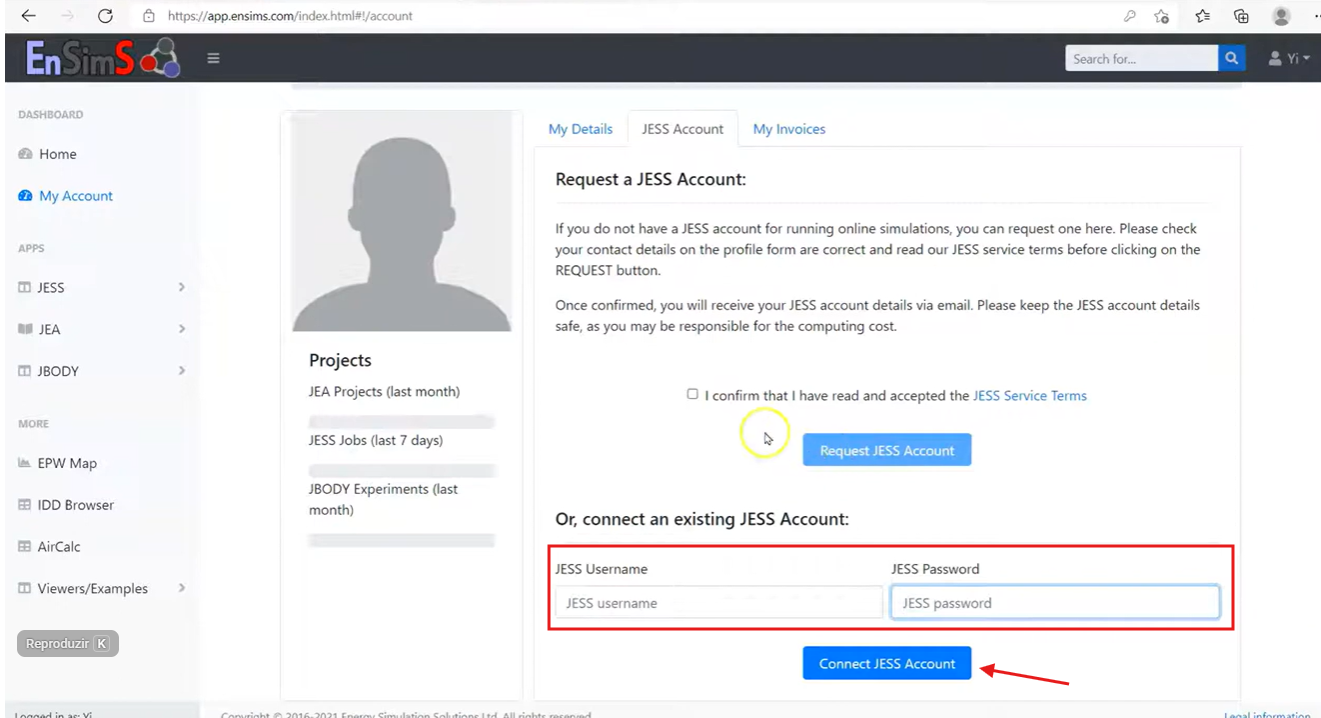
If you need a new JESS account:
- In My Account, fill in your contact details — these are used for invoicing purposes.
- Save the changes.
- Return to the JESS Account tab and click Submit request.
- Wait for confirmation from the ENSIMS team. Your account details will be sent by email. (Processing time may vary — contact ENSIMS support if you haven't heard back within a business day.)
Using a legacy JESS client (e.g. via DesignBuilder)?
If you access JESS through DesignBuilder or another legacy client rather than the web portal, your credentials will be sent to you directly by email after your account request is processed. You do not need to link via the portal in this case.
These changes are reflected in DesignBuilder v2025.1:
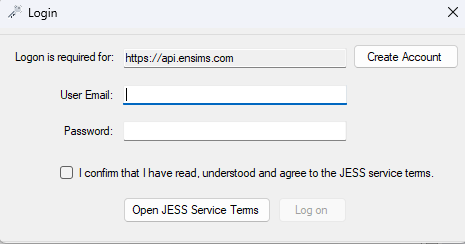
- Create or log in to your ENSIMS web account — go to https://app.ensims.com and sign up or log in with your email address.
- Go to "My Account" — after logging in, navigate to the Account page. Fill in your contact details (needed for invoicing), then request a JESS account from there.
- Link your JESS account — on the Account page, use the "Link JESS account" option to connect your JESS username to your ENSIMS web account.
Was this article helpful?
That’s Great!
Thank you for your feedback
Sorry! We couldn't be helpful
Thank you for your feedback
Feedback sent
We appreciate your effort and will try to fix the article